


How to Download Snapchat Spotlight Videos?
SnapStoryView Spotlight Downloader is a premium free tool for saving Snapchat Spotlights. With our Spotlight Downloader, you can download any public Snapchat Spotlight video directly to your device in high-quality MP4 format to keep them offline and save them forever on your phone's gallery.
Our downloader is fully compatible with any mobile browser, PC, Mac, and tablet. To download a Snapchat video, you simply need to copy the link of the Spotlight video and paste it into the downloader field on our site. Follow the highly detailed steps below for a complete guide on both Mobile and PC.
Download Snapchat Spotlight on Android & iPhone
Follow these exact steps to quickly save any Spotlight video to your mobile device:
Open the official Snapchat app on your phone. Navigate to the Spotlight tab and find the video you want to download.
Tap the Share button (usually an arrow icon) and click Copy Link.
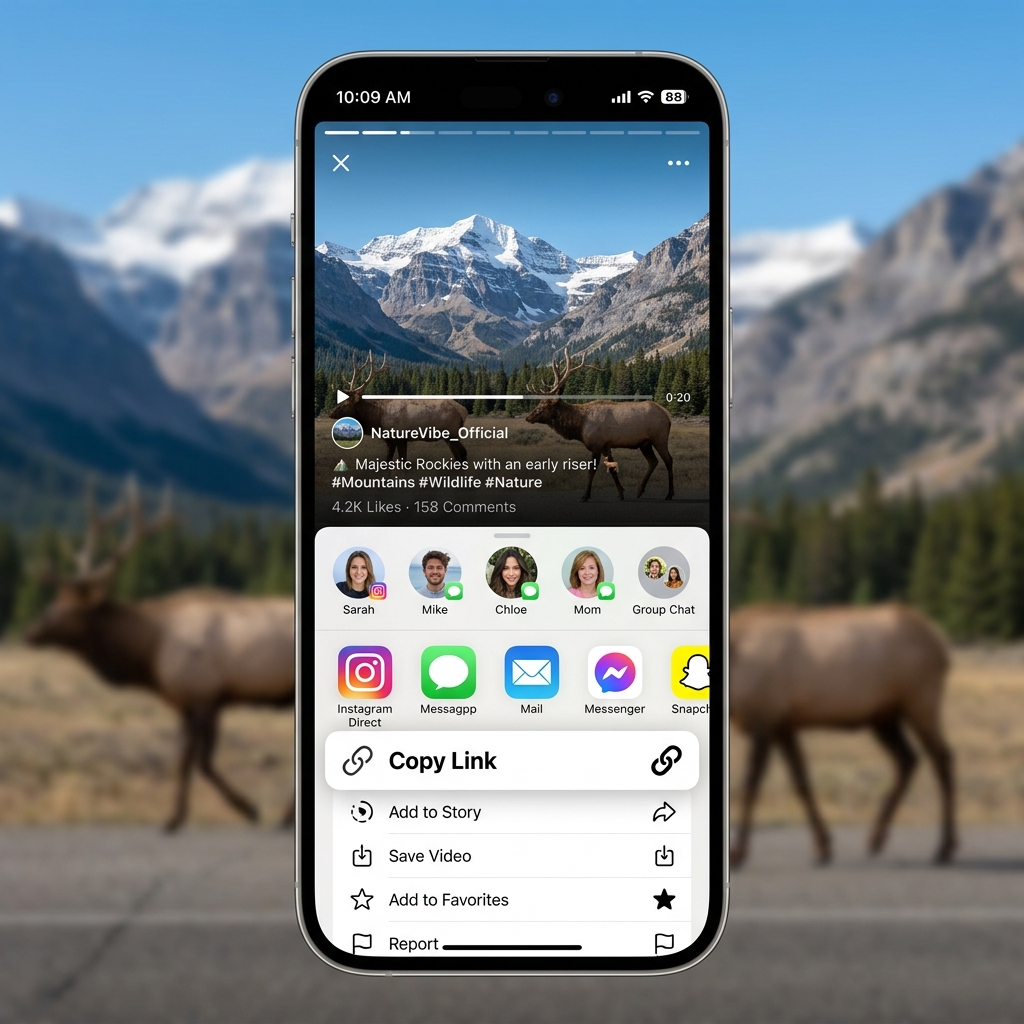
Open your mobile browser (Safari, Chrome, etc.) and go to SnapStoryView's Spotlight Downloader. Paste the copied link into the main input box and tap Get video.
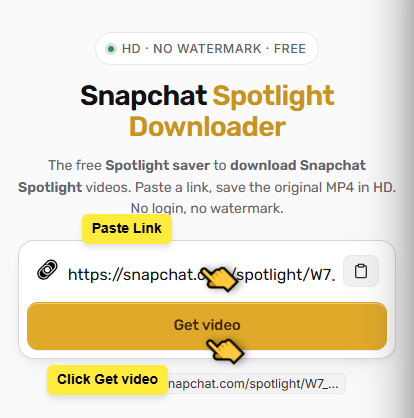
Our system will process the link instantly. A preview of the high-definition video will appear below. Tap the Download Video button to save the MP4 file straight to your phone's camera roll.

How to View and Download Snapchat Stories?
SnapStoryView is the internet's most reliable anonymous Snapchat Story Viewer. We allow you to type in any public Snapchat username and view their active 24-hour stories without leaving any trace. The creator will never know you viewed their story.
In addition to viewing anonymously, we also provide a one-click solution to download those stories directly to your device. Whether it's a photo or a video, you can save it forever before it expires.
View & Save Snapchat Stories on Any Device
Follow these exact steps to anonymously view and download stories:
Find the exact username of the Snapchat creator whose story you wish to view. Ensure their account is public.
Open SnapStoryView on your browser. Enter the target username into the search box (e.g. kyliejenner) and tap View stories.
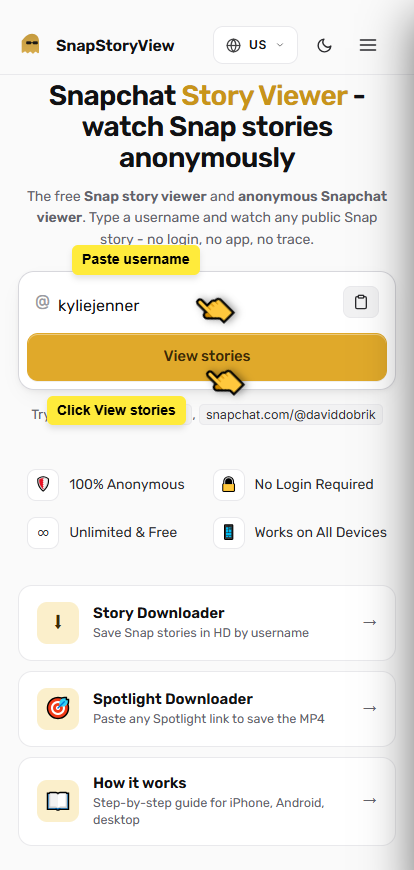
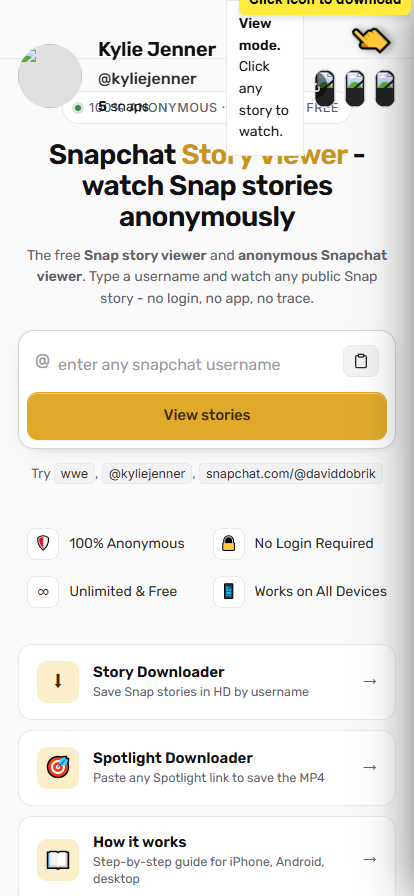
Our system will securely fetch all currently active stories for that user. You can now view them anonymously right from our grid interface.
To save a story, simply click the Download HD button below any of the stories. Photos will save as JPG and videos as MP4.
Why use SnapStoryView for Snapchat savers?
Absolutely free. We do not charge anything for downloads.
No app installation required. Works entirely in your browser.
Maintains original high definition video quality.
Super fast and easy to use with any device.
100% anonymous. We do not require any login or credentials.